Forma Data Management: AEC document management made simple

Cloud-based common data environment
What is Forma Data Management?

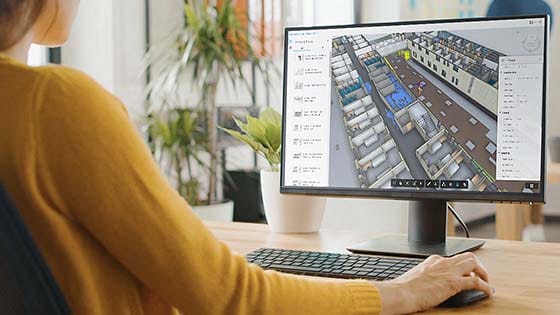
Forma Data Management is a cloud-based document and data management solution within Autodesk Construction Cloud. As your common data environment (CDE), Docs empowers teams to:

    • Access the latest project information to keep work moving efficiently.

  • Streamline and automate document reviews to minimize errors and rework.

  • Enhance collaboration and team alignment for improved accuracy and productivity.


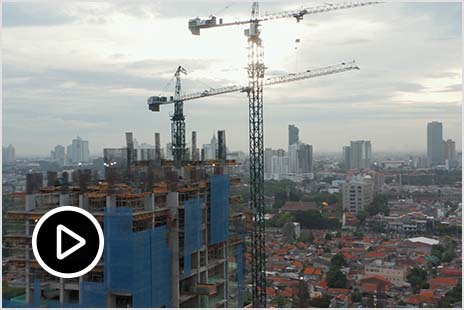
Forma Data Management overview (video: 2:39 min.)
Why use Forma Data Management?

Organize and share files confidently

Reliably track and securely deliver files to stakeholders.
Work flexibly on a cloud-based platform

Empower multidisciplinary teams with centralized information access.
Boost your team’s agility

Stay ahead of changing project conditions and issues.

Included with Forma Data Management: Content Catalog

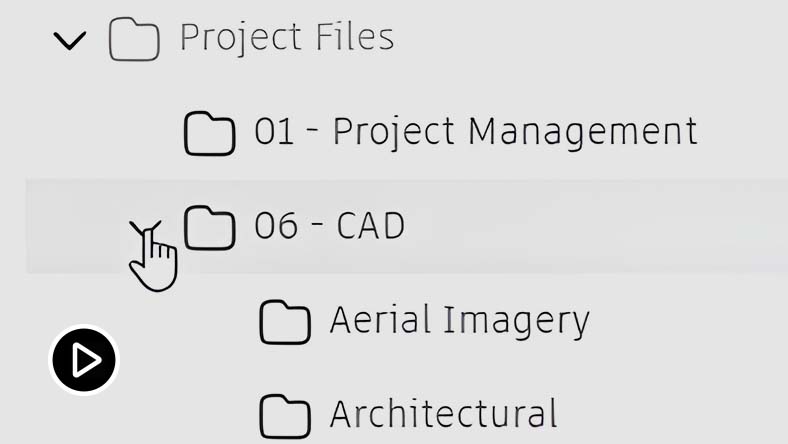
Boost your efficiency with BIM content management (video: 2:16 min.)

Unlock design efficiency with BIM content management

Content Catalog, included with your Forma Data Management subscription, gives design teams a trusted, cloud-based digital asset management solution, streamlining the process for finding, organizing, and granting access to vetted data. By having a single source for Revit families, CAD blocks, and other design content, users can make rapid gains in collaboration, efficiency, productivity, and quality of BIM project deliverables.

Other ways to access Forma Data Management

Forma Data Management is available as a standalone option or as part of other software solutions. Choose the one that’s right for you. 

Architecture Engineering & Construction Collection

Powerful BIM and CAD tools for designers, engineers, and contractors, including Revit, AutoCAD, Civil 3D, Autodesk Forma, and more

BIM Collaborate Pro

Cloud-based design co-authoring, collaboration, and coordination software for architecture, engineering, and construction teams. "Pro" enables anytime, anywhere collaboration in Revit, Civil 3D, and AutoCAD Plant 3D.

Workshop-XR-2024-lockup-Blk-OL_No-Year_1-line

Workshop XR

An immersive, collaborative design review VR workspace- connected to Autodesk Construction Cloud

Takeoff

Perform accurate 2D takeoffs and generate automated quantities from 3D models in a single online solution.

Autodesk Forma

Cloud software that offers powerful, easy-to-use, AI-powered tools for pre-design and schematic design. Making the right decisions in the planning phase has never been easier.

3ds Max

3D modeling, animation, and rendering software for games and design visualization

A360

Project collaboration software to view, share, review, and find data in the cloud

Advance Steel

3D modeling software for steel detailing

Alias Concept

Industrial design software to sketch, concept model, surface, and visualize.

Arnold

Global illumination rendering software

Assemble

Transform BIM data for construction planning to improve design reviews, 3D-based quantification, change management, and value engineering.

AutoCAD

Software for 2D and 3D CAD. Subscription includes AutoCAD, specialized toolsets, and apps.

AutoCAD LT

Cost-effective 2D CAD software for drafting, drawing, and documentation

AutoCAD Revit LT Suite

Get Revit LT and AutoCAD LT together at a great value

AutoCAD Web

Draft, annotate, and add field data to your drawings online via your web browser or mobile device. Access and edit DWG files, and quickly collaborate with AutoCAD users on designs.

Autodesk Access

Install and manage updates for your Autodesk desktop products.

Autodesk Build

Comprehensive field and project management software that delivers a broad, deep, and connected set of tools for builders.

Autodesk CFD Ultimate

Computational fluid dynamics simulation and solid body motion analysis software.

Autodesk Docs

Manage project information in a cloud-based, common data environment

Autodesk Drive

CAD-aware cloud storage for individuals and small teams

Autodesk Platform Services (formerly Forge)

Access APIs and services that help you use your design and engineering data in the cloud

Autodesk Rendering

Fast, high-resolution renderings in the cloud

BIM Collaborate

Cloud-based design collaboration and coordination software for architecture, engineering, and construction teams to review designs, run automatic clash detection, and track project status.

BIM Collaborate Pro for Government

FedRAMP® Moderate Authorized design collaboration and management solution for complex AEC projects with advanced security requirements.

Bid Board Pro

Subcontractors can centralize their bidding process online, while keeping teams on the same page to discover and win the right jobs.

BuildingConnected

BuildingConnected provides collaboration for owners and builders on the largest construction network, to simplify bid management and qualification.

BuildingConnected Pro

Discover and choose the best builder with comprehensive bid and qualification management tools.

Civil 3D

Civil engineering design and construction documentation

DWG TrueView

View DWG files. Convert DWG file versions. Mark up files (when you add Design Review for free).

Design Review

Design Review CAD viewer software lets you view, mark up, print, and track changes to 2D and 3D files including: DWF, DWFx, DWG, and DXF.

Fabrication ESTmep

Fabrication ESTmep helps MEP specialists win more work by creating more accurate, competitive bids based on comprehensive user-defined project factors.

Factory Design Utilities

Conceptualize, plan, and validate manufacturing facilities

FeatureCAM Standard

Autodesk Fusion with FeatureCAM gives you access to FeatureCAM Ultimate, PartMaker, Autodesk Fusion, Fusion Team, and HSMWorks.

Flame

High-performing tools for 3D visual effects, compositing, advanced graphics, color management and more.

Flow Capture (formerly Moxion)

Powerful and secure cloud-based dailies and review for animation, VFX, and games

Flow Production Tracking

A review and production tracking toolset for VFX, games, and animation teams

Formit Pro

Intuitive 3D sketching app with native Revit interoperability

Fusion

Cloud-based product design software for manufacturing, 3D modeling, electronics, simulation, and data management

Fusion Design Extension

Automate complex geometry to enhance the performance and aesthetics of your products.

Fusion Manage

Cloud PLM and PDM that connects your data, people, and processes.

Fusion Manage Extension

Apply process management to drawings and designs. Execute change orders, release management, automated part numbering, and bill of materials management.

Fusion Manufacturing Extension

Unlock additional capabilities for 3 to 5-axis CNC machining, sheet-based nesting and fabrication, and metals-based additive manufacturing.

Fusion Signal Integrity Extension

Optimize PCB design electromagnetic performance by controlling the impedance of every critical transmission line.

Fusion Simulation Extension

Optimize part design and performance with unlimited cloud solves for generative design, FEA, electronic cooling, injection molding, and more.

Fusion Team

Share, review, and manage design projects on any device, anywhere within a single platform.

Fusion for Design

Gain access to advanced design and simulation tools with our best value offering to get Autodesk Fusion, Fusion Design Extension, Fusion Simulation Extension, and Fusion Manage Extension.

Fusion for Manufacturing

Expand your advanced manufacturing capabilities with our best value offering to get Autodesk Fusion and the Fusion Manufacturing Extension.

Fusion with CAMplete TruePath

NC-code post-processing and G-code simulation software

Fusion with EAGLE Standard

PCB design and schematic software

Fusion with Netfabb Premium

Additive manufacturing and design plus metal additive process simulation software to help with all stages of the 3D printing process.

Grading Optimization for Civil 3D

Civil 3D extension to automate terrain grading design workflows.

HSMWorks Ultimate

Simplify your machining workflow with embedded CAM software for SOLIDWORKS.

Info360 Asset

Deliver actionable asset condition and risk planning in the cloud

Info360 Insight

Real-time operational performance analytics, modeling, and alerting tools in the cloud

Info360 Plant

Operational intelligence for water and wastewater treatment plants

InfoDrainage

Design and audit drainage systems quickly, easily, and confidently.

InfoWater Pro

Optimize planning, design, and operations of your water distribution network for ArcGIS Users

InfoWorks ICM

Model complex hydraulic and hydrologic network elements quickly, accurately, and collaboratively.

InfoWorks WS Pro

Comprehensive and collaborative water distribution analysis and modeling

Informed Design for Inventor

Improve project outcomes with conceptual design and modeling tools, and real-time analytics

Informed Design for Revit

Design with known-manufacturable building products

InfraWorks

Geospatial and engineering BIM platform for planning, design, and analysis

Insight

Building performance analysis software

Inventor

Professional-grade product design and engineering tools for 3D mechanical design, simulation, visualization and documentation

Inventor CAM Ultimate

Inventor CAM Ultimate is an integrated 2.5- to 5-axis CAD/CAM programming solution for Inventor.

Inventor Nastran

CAD-embedded finite element analysis software

Inventor Nesting

True shape nesting software for Inventor to optimize yield from flat raw material

Inventor Tolerance Analysis

Inventor Tolerance Analysis software is designed to understand the cost impact of dimensional variation.

Maya

3D animation, modeling, simulation, and rendering software for film, games, and TV

Maya Creative

Powerful animation, modeling, and rendering tools that flex to your creative needs

Media & Entertainment Collection

3D animation, modeling, simulation, and rendering software for film, games, and TV

Moldflow Insight

Injection and compression molding simulation tools for engineers and analysts. Customized automation tools minimize production delays (includes solver and pre/post processor).

Moldflow Insight Standard

Simulation and design tools for plastic injection and compression molding.

Moldflow Insight Ultimate

Injection and compression molding simulation tools for engineers and analysts. Customized automation tools minimize production delays (includes solver and pre/post processor).

Moldflow Synergy

Pre and Post processor for Injection and compression molding simulation tools for engineers and analysts.

MotionBuilder

3D character animation software

Mudbox

Digital painting and sculpting software

Navisworks Simulate

Control outcomes with clash detection and advanced coordination, 5D analysis, and simulation tools.

Point Layout

Construction layout software. Requires AutoCAD, Revit, or Navisworks

PowerInspect Standard

Inspect complex, free-form surfaces across a range of hardware devices

PowerMill Standard

CAM software for high-speed and 5-axis machining

PowerShape Standard

CAD modeling software to prepare molds, dies, and other complex parts for manufacture

ProEst

Proest is a powerful cloud-based estimating solution that ensures estimates are accurate, bids are competitive, and projects are profitable.

Prodsmart

Automate and digitize manufacturing processes

Product Design & Manufacturing Collection

Get Inventor + AutoCAD + Fusion + more- Professional-grade tools for product development and manufacturing planning

Project Explorer for Civil 3D

Civil 3D extension for navigation, interrogation, and reporting on design models.

Prospect by IrisVR

For model coordination, clash detection & issue tracking in VR. Integrates with Navisworks & Revit

Pype

Intelligent submittals from preconstruction through closeout for general contractors and owners.

ReCap Pro

Reality capture and 3D scanning software and services

Revit

Plan, design, construct, and manage buildings with powerful tools for Building Information Modeling.

Revit LT

Simplified 3D BIM tool for producing 3D architectural designs and documentation

Robot Structural Analysis Professional

Advanced BIM-integrated structural analysis and code compliance verification tool

Structural Bridge Design

Structural bridge analysis software

Tinkercad

Simple 3D design and 3D printing app

TradeTapp

TradeTapp automates subcontractor qualification with comprehensive tools for faster and more accurate reviews.

VRED Design

3D virtual prototyping software for automotive design

Vault PLM

Enterprise product data management combined with cloud PLM to connect your people, processes, and data.

Vehicle Tracking

Vehicle swept path analysis software

Within Medical

Medical 3D printing and orthopedic implant design

* includes estimated VAT

Workflows for Forma Data Management

Document management

Store, review, and share project documentation in the cloud with useful management features.
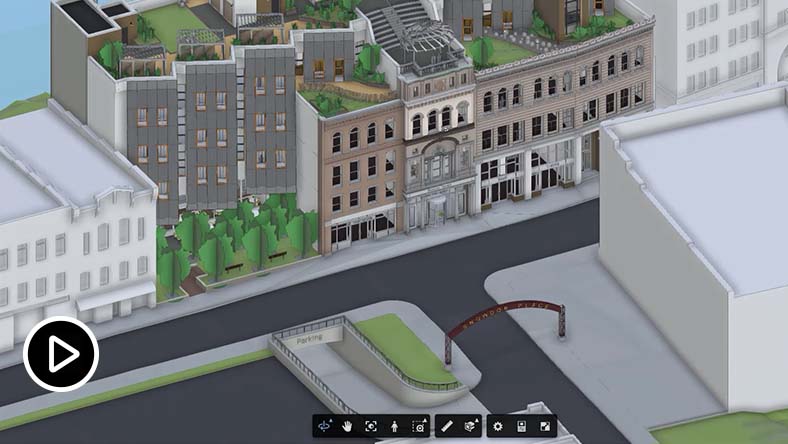


Forma Data Management + Revit + AutoCAD + Forma  

Connect building plan and design workflows in the cloud for teams using other tools in the AEC Collection.
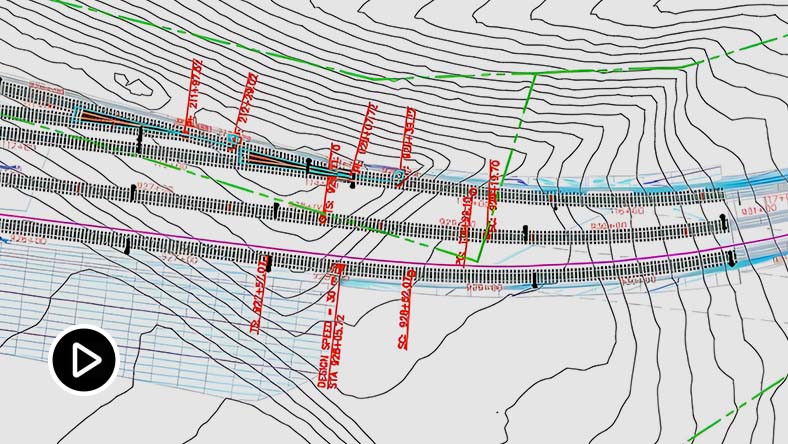

Forma Data Management for civil engineers

Simplify paperless collaboration for civil engineers with digital markups and issues, audit trails, and more.


AEC Tech Drop Blog 

Keep pace with AEC product and industry advancements with the latest news, tips, and tricks.

Frequently asked questions (FAQs)

What is Autodesk Docs used for?

Autodesk Docs is a cloud-based common data environment that provides document management and control to the entire project team. With Autodesk Docs, AEC teams can simplify collaboration and data management from design to construction and streamline document review and approval workflows.

Who uses Autodesk Docs?

Autodesk Docs is used across the project lifecycle by all members of a project team, including architects, designers, engineers, contractors, sub-contractors, drafters, detailers, BIM and VDC managers, project managers, owners, fabricators, and more.

Can I access my projects on mobile?

Yes, you can access your projects through either the BIM 360 app (for BIM 360 projects) or the PlanGrid Build app (for ACC projects). Both are available for download on the App Store or Google Play.

Which operating system does Autodesk Docs run on?

Autodesk Docs is web-based and has no desktop operating system requirements. See Autodesk Docs system requirements for details.

What Autodesk Regional Offerings are available for Autodesk Docs projects?

For Autodesk Docs, Covered Content  can be primarily stored on the Australia, Canada, EU, Germany, India Japan, UK, or US Regional Offerings. If you need further information or guidance on determining where your projects are hosted, please review the Autodesk Regional Offering detailed FAQ.

What is Content Catalog and how do I get it?

Content Catalog is the next-gen, integrated version of UNIFI Pro by Autodesk. It serves as a web-based content management system, enabling customers to efficiently organize, locate, and provide access to approved digital assets for BIM models. This enhances the productivity and effectiveness of BIM project teams. With seamless integration into popular authoring tools like Revit, AutoCAD, and other third-party solutions, customers gain the ability to effortlessly discover and insert authorized assets into their BIM models.


Content Catalog comes as an entitlement for all Autodesk Docs subscribers, including those that have a subscription to Autodesk Docs via the following product offerings:

  • Autodesk Construction Cloud
  • Architecture, Engineering & Construction (AEC) Collection
  • Autodesk BIM Collaborate
  • Autodesk BIM Collaborate Pro
  • Autodesk Build
  • Autodesk Takeoff
  • Autodesk Docs standalone subscription

Visit the detailed FAQ (US Site) for more information on Content Catalog.

Where is my Content Catalog data hosted?

Your data can now be hosted in the US, Australia, or EMEA.

Can I log into Autodesk Docs on multiple computers?

Yes; however, only the named user can sign in and use that software on a single computer at any given time. Please refer to the Software License Agreement (US Site) for more information.

How do I convert my Autodesk Docs free trial to a paid subscription?

Launch your trial software and click Subscribe Now on the trial screen or buy Autodesk Docs here. When buying your subscription, enter the same email address and password combination you used to sign in to your trial. Learn more about converting a trial to a paid subscription.

How much does an Autodesk Docs subscription cost?

The price of an annual Autodesk Docs subscription is ., and the price of a three-year Autodesk Docs subscription is ..

See more

Find troubleshooting articles and resolve your issue.