Advanced AI settings can apply at different levels depending on the product and admin experience.
Hub-level settings
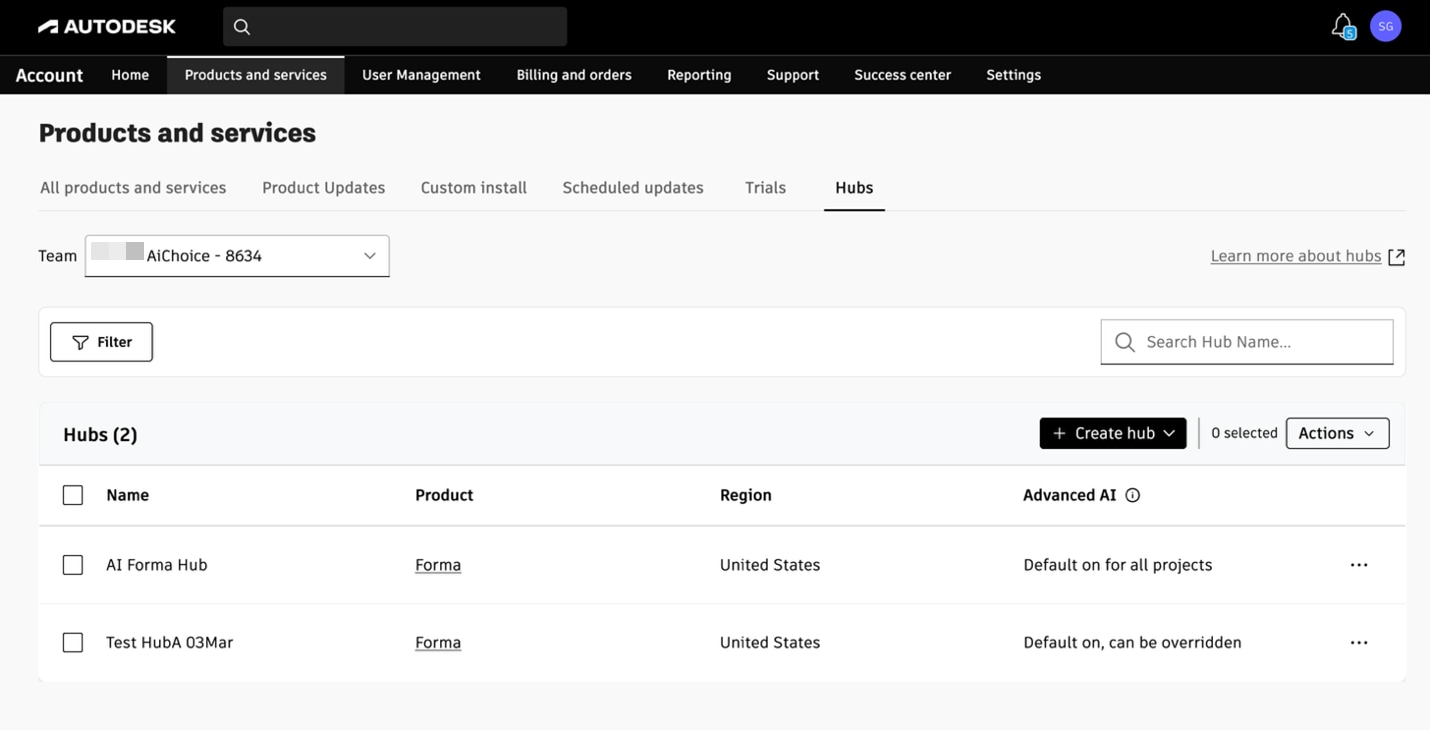
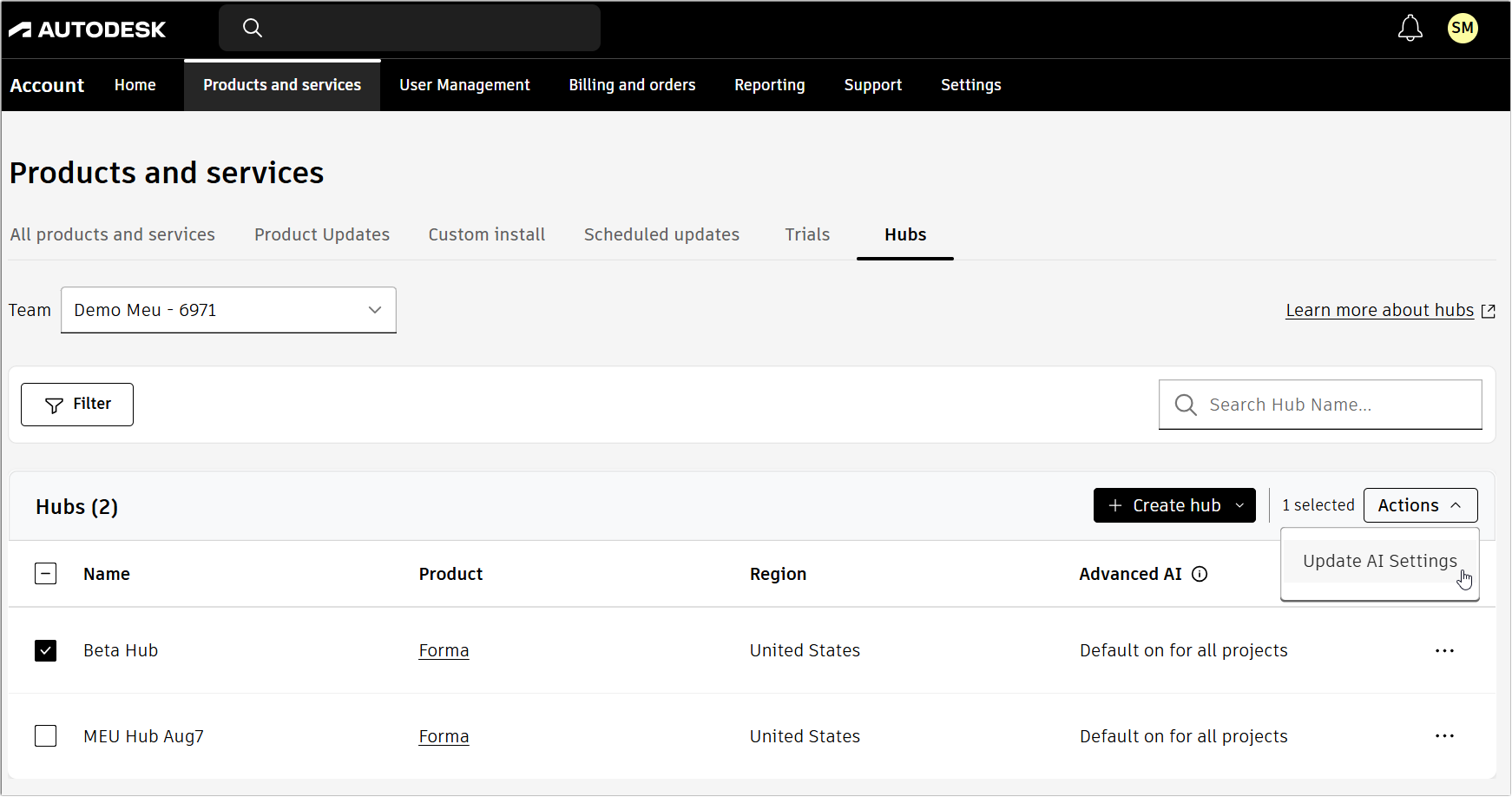
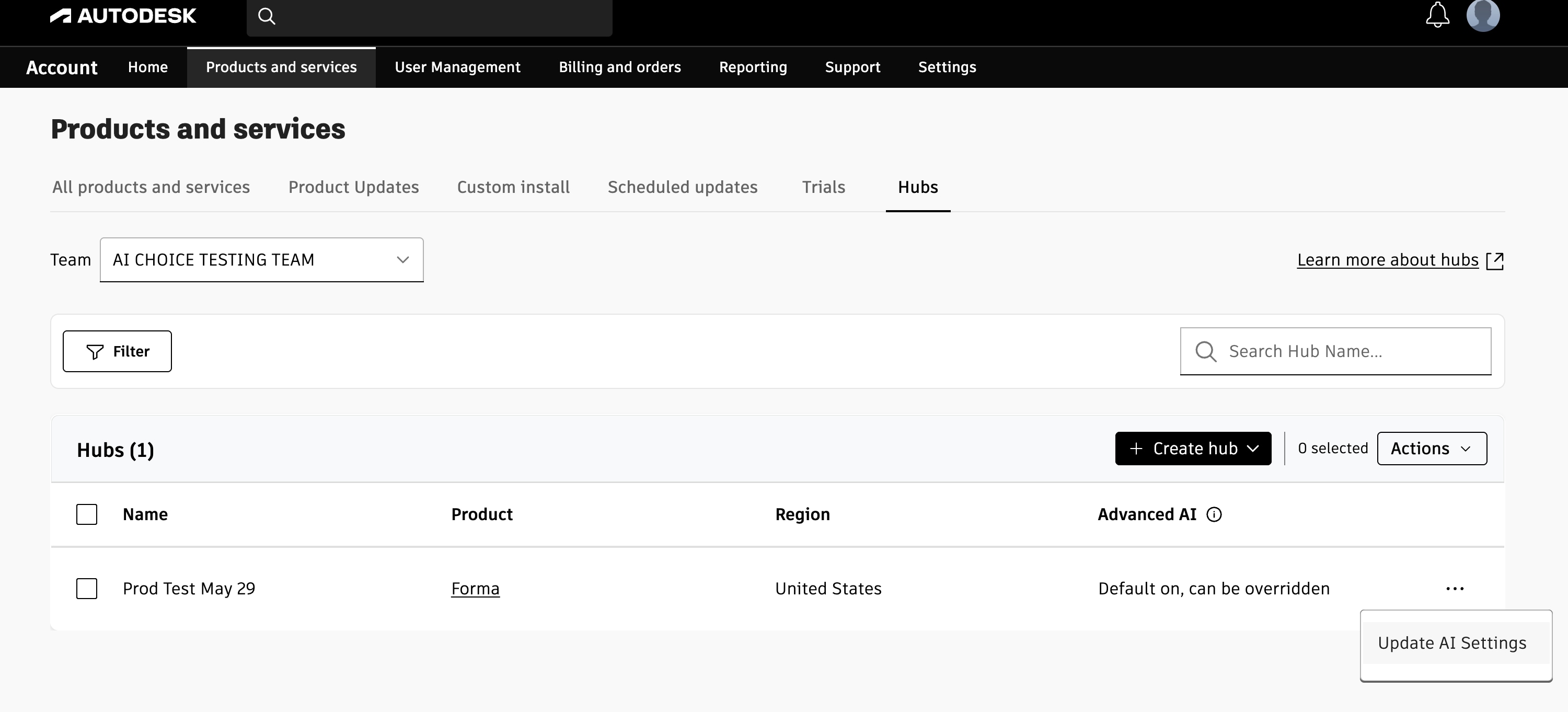
As an admin, you can manage Advanced AI settings in your Autodesk account for supported hubs.
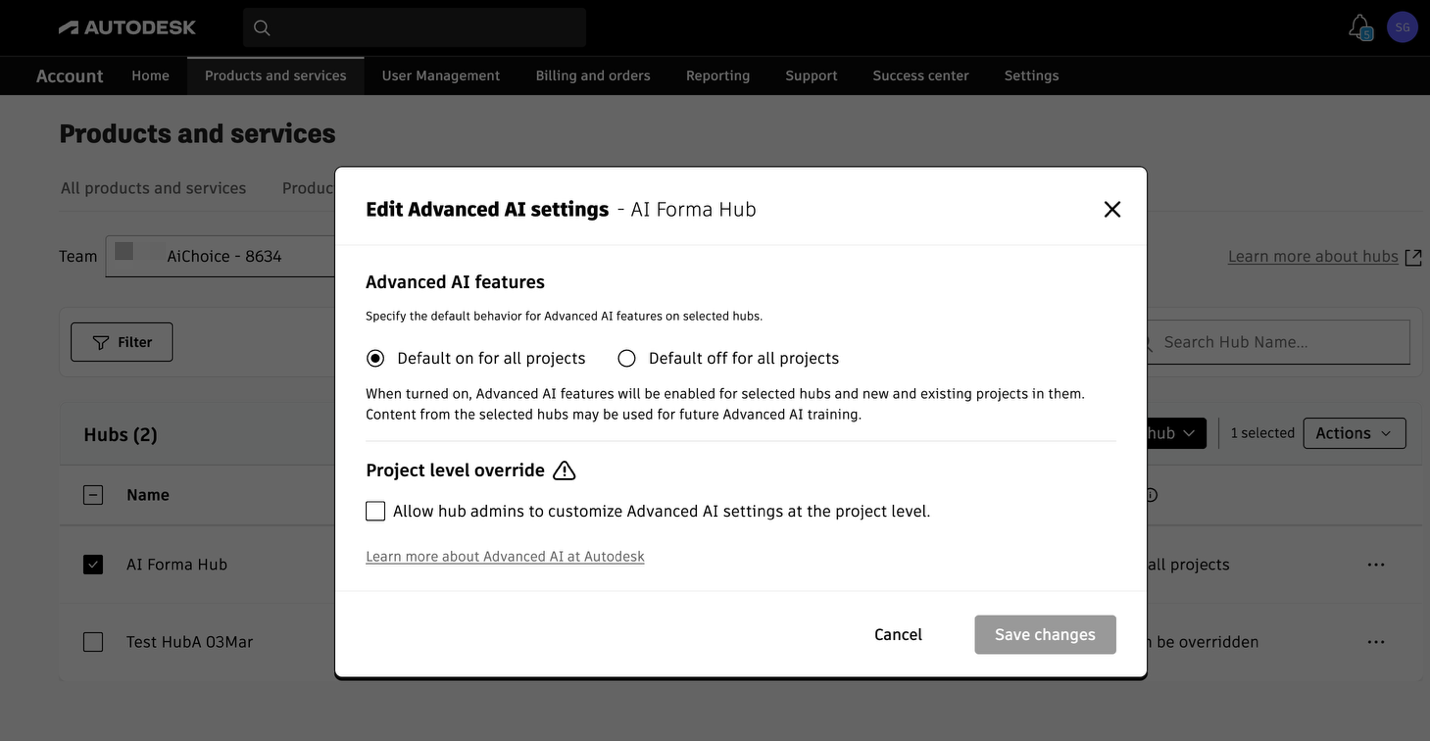
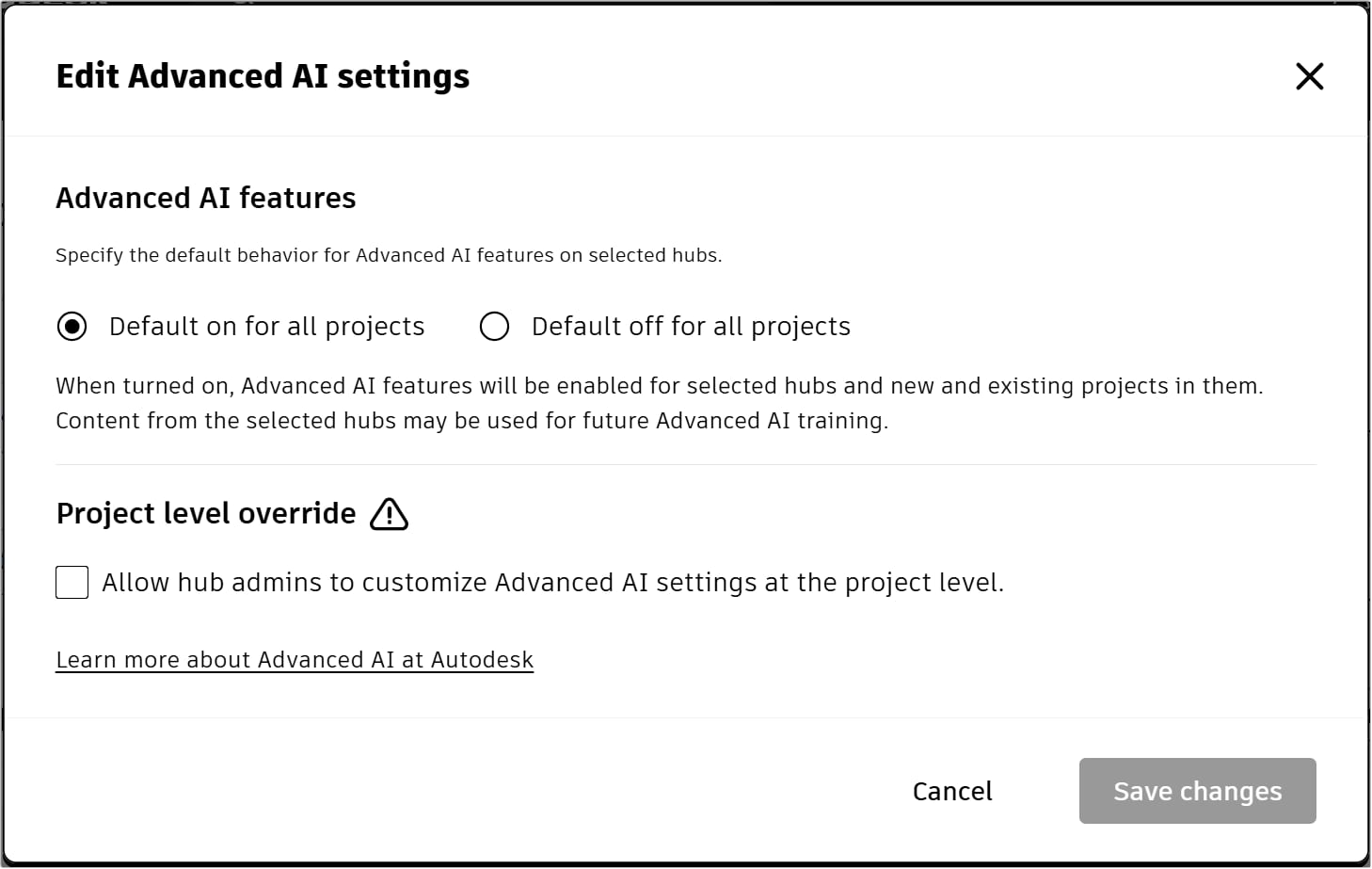
The hub setting:
Controls access to Advanced AI features for the hub.
Controls whether Customer Content in that hub may be used for future Advanced AI training.
Becomes the default setting for new projects in that hub.
Lets you enable or disable project level override. Project level override lets account admins and hub project admins use different Advanced AI settings for individual projects when supported by the product.
Project-level settings
Some Autodesk products support project-level Advanced AI settings.
When project-level settings are supported:
A project can use a different setting from the parent hub.
Project admins manage the setting in the product’s local admin experience.
New projects still inherit the hub setting by default.
Permission to use different project settings is controlled through the project level override
option in the same dialogue used to configure the hub default setting.